
The waiver register: who has signed, and who needs to sign again
Published
One list of every signed waiver on your account — filter it by form and status, read a signer’s whole history, open the signed document, and ask someone to sign again.
How do I see who has signed a waiver and whose has expired?
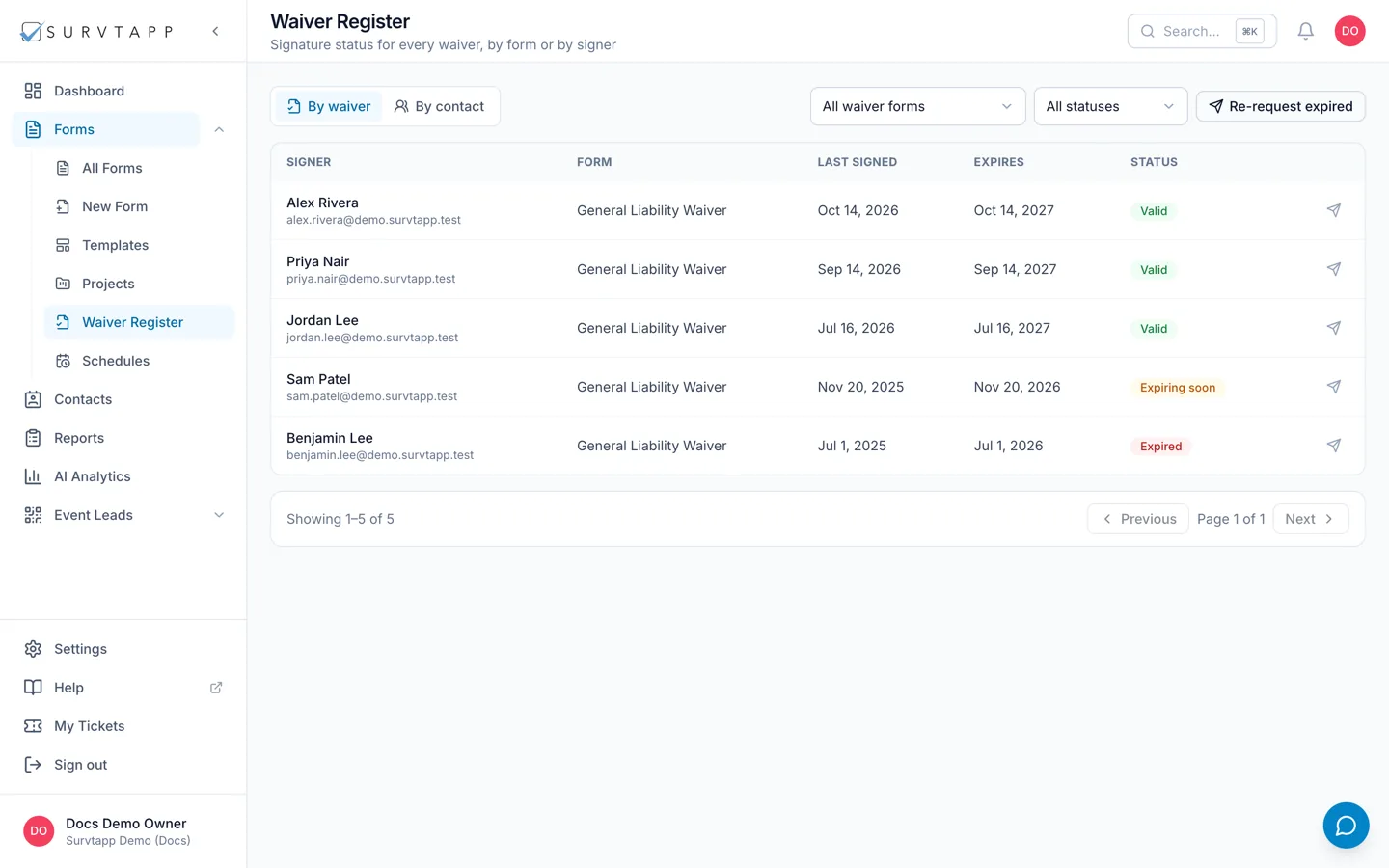
Open the waiver register. It lists every signed waiver on your account, readable By waiver or By signer, and filters by form and by status — Valid, Expiring soon, Expired, No expiry. Click a row for that signer’s full history and to open the document they signed. The send icon emails one person a link to re-sign, and Re-request expired emails everyone whose waiver has expired.
The register is the answer to "has this person signed, and is it still good?". It lists every signed waiver on your account in one place, rather than one form’s responses at a time.
Two ways to read it
- By waiver — one row per signed document. Use this when you are working through a single form.
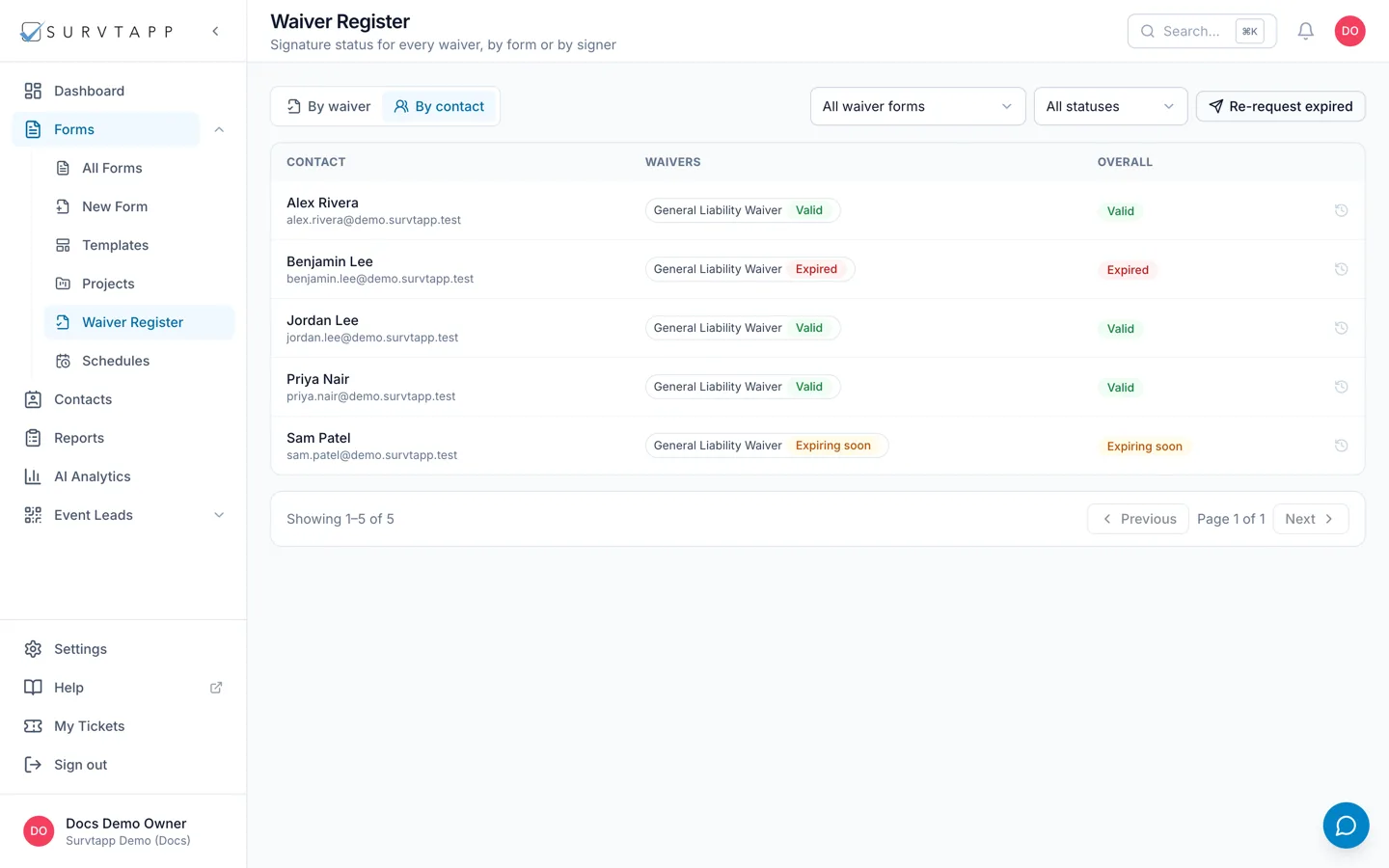
- By signer — one row per person, showing their worst status across every waiver they have signed. Use this at a door: one look tells you whether this person is clear.
Narrowing it down
Two filters sit above the table: the form (All waiver forms, or one of them) and the status (All statuses, Valid, Expiring soon, Expired, No expiry).
What each status means
- Valid — signed, with an expiry date still in the future.
- Expiring soon — valid, but inside the warning window, so it is worth asking now rather than at the door.
- Expired — the expiry date has passed. The signature stands as a record of what was signed; it just no longer counts as current.
- No expiry — the waiver was signed on a form whose signatures do not expire.
- One time — shown instead of No expiry on a per-visit waiver, which has no expiry date but is used up by an event rather than a date. Calling that "No expiry" would say the opposite of what it does.
Asking someone to sign again
The send icon on a row emails that signer a link to re-sign. The link is theirs — it opens the waiver already knowing who they are.
Re-request expired does the same for everyone with an expired waiver at once. It asks you to confirm first, and tells you what it is about to do: with a form chosen it covers that form, otherwise every waiver form you have.
When a re-request does not go out
The confirmation says either "Re-request sent" or "Not sent:" followed by a reason. There are three, and each has a fix:
- missing_email — that signed waiver has no email address on it, so there is nowhere to send the link. Signed in person without contact details, usually. Add an address to the contact, or ask them to sign again in person.
- no_share_link — the waiver form has no active share link, which means it is unpublished or its link was switched off. Publish it, or reactivate the link, and try again.
- send_failed — the email itself did not go out. Try again, and if it keeps happening check that the signer’s address is not marked Bounced or Unsubscribed in Contacts.
A signer’s history
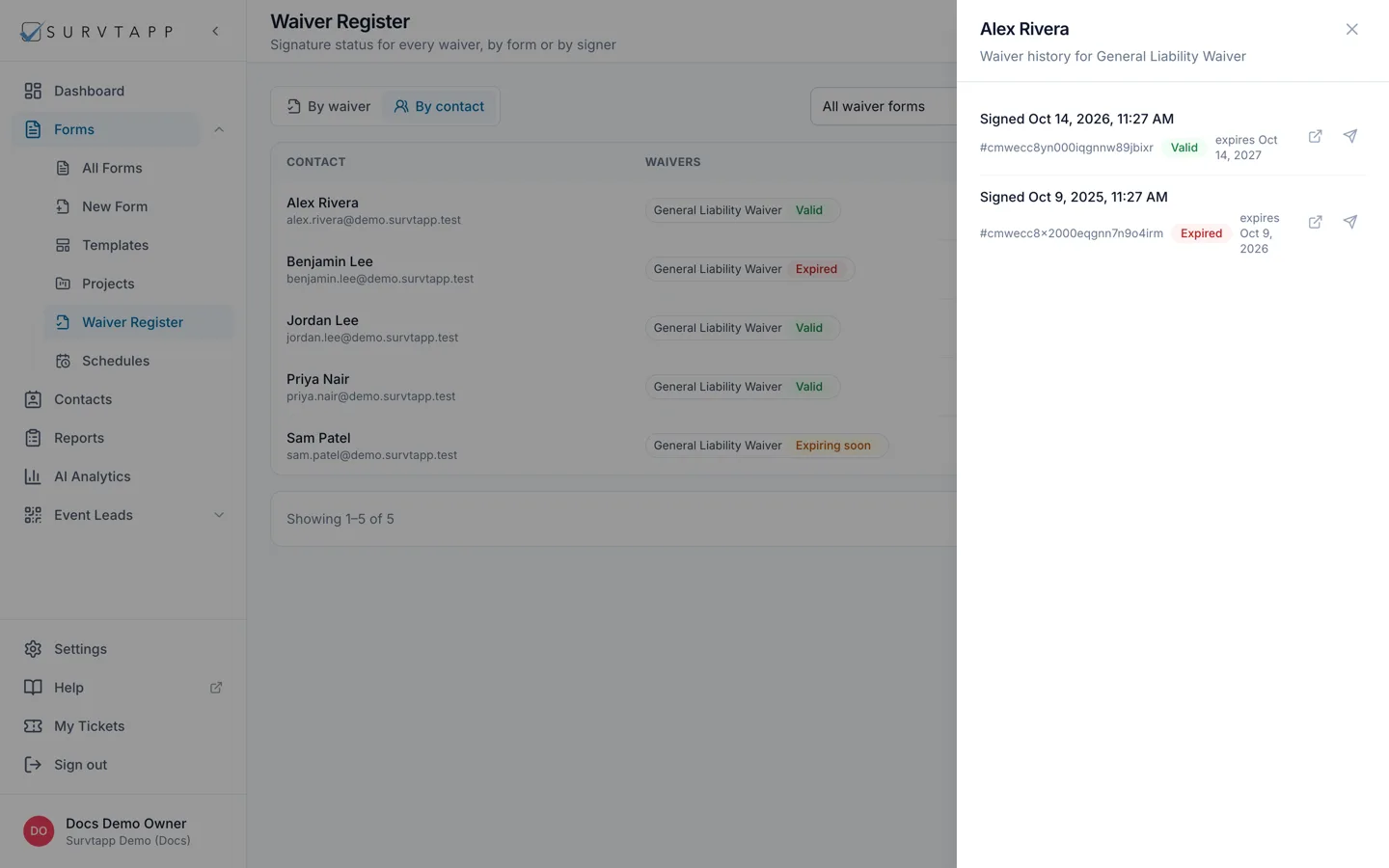
Click a row to open the history panel for that person and that form: every document they have signed, newest first, each with when it was signed, its status and its expiry. It is the honest answer to "but I signed that last year" — the older documents are still there, each as it was signed.
Opening the signed document
The open-in-new-tab icon on a document shows exactly what that person signed. For a waiver signed recently that is the PDF generated at the time of signing — the same document the signer was emailed. An older waiver with no stored PDF opens as a printable page instead; use your browser’s print dialogue if you need a file from it.
The waivers on a contact
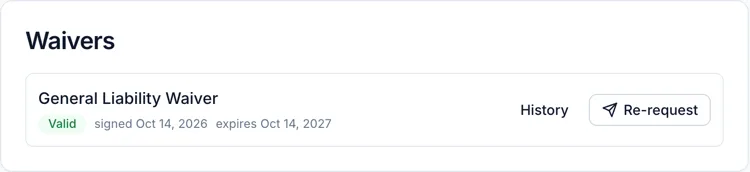
A contact’s own page carries a Waivers panel with the latest waiver per form: the form title, the status chip, when it was signed and when it expires, and the same History and Re-request actions. That is the quicker route when you already have the person in front of you — the register is for working through a list.
Frequently asked questions
Will Survtapp remind a signer before their waiver expires?
Do not count on it. Asking is something you do: use Re-request expired, or the send icon on a row, when you want people to sign again.
Why does a signer show as Expired when they signed last week?
The expiry comes from the form’s own validity setting, not from the signing date alone. Check Waiver validity on that form’s Settings tab — see Every setting on a form, and what it does.
Someone signed on paper. Can I put it in the register?
Not directly — the register lists waivers signed through Survtapp. Have them sign the waiver in the Survtapp app or through its link, and it appears.
Does re-requesting delete the old waiver?
No. Nothing is overwritten. The new signature is a new document and the old one stays in the history, exactly as it was signed.