
Recurring checklists: running the same checks on a schedule
Published
Have a checklist appear for an agent every morning, every Monday and Thursday, on the first of the month or every ninety days — with a due window and a notification when each run lands.
How do I make a checklist repeat every day or every month?
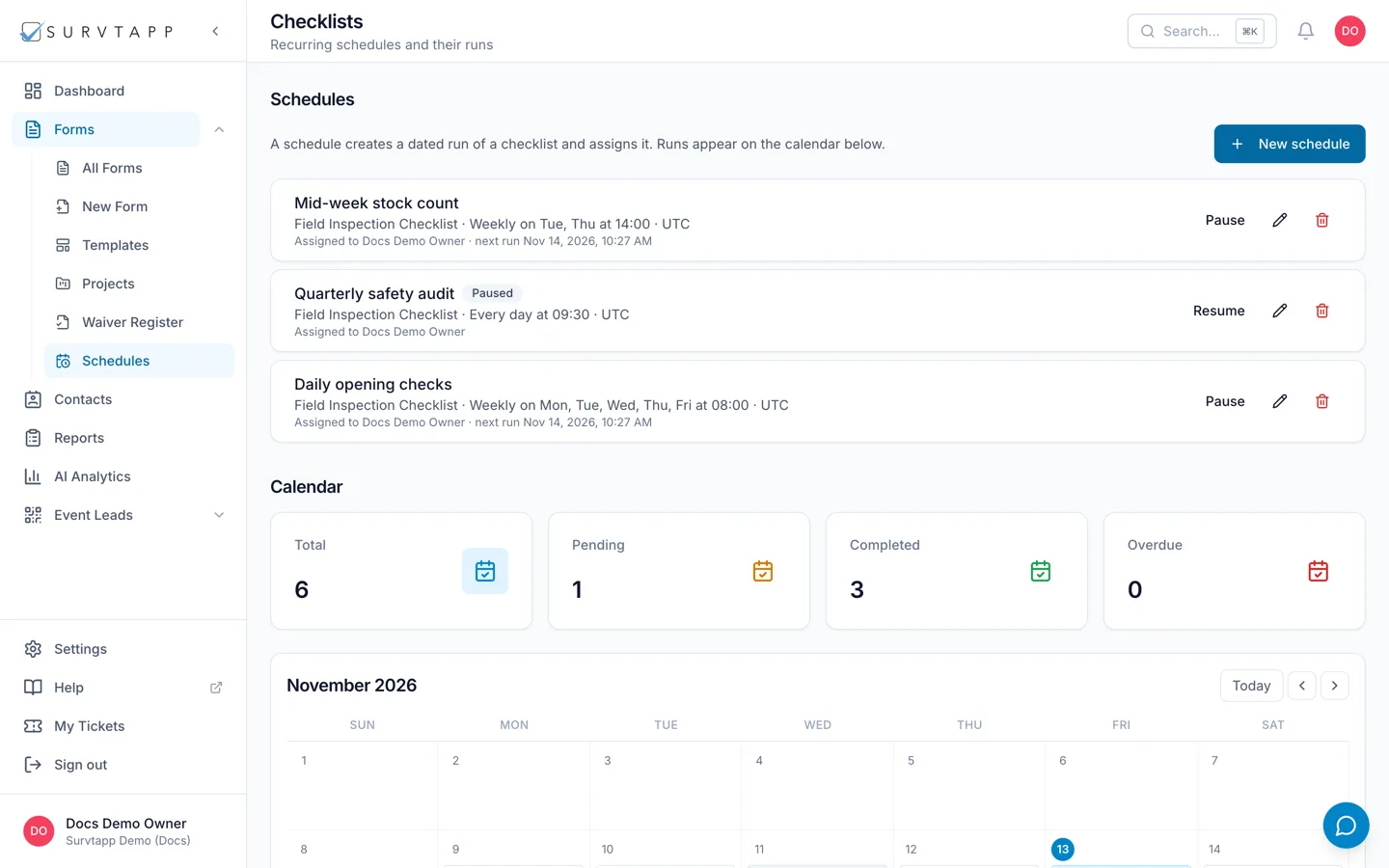
Create a schedule on the Checklists screen: name it, choose the checklist, and pick how often it repeats — every day, weekly on chosen days, monthly on a day of the month, every N days or N months, or once only. Set the time it is created and how many hours the crew has to finish it, then choose who to assign it to. That person gets an in-app notification and a push when each run becomes due. No emails are sent.
A schedule makes the same checklist come round again on its own, so nobody has to remember to hand out the morning walk-round or the quarterly inspection. Each time it comes round, Survtapp creates a run of that checklist with a due time and notifies whoever it is assigned to.
Before you start
You need a published checklist. A schedule points at one checklist and creates runs of it; it does not contain any items of its own. See Building a checklist and giving it to your agents.
Create a schedule
- Open Checklists — the recurring-schedules screen.
- Click to add a schedule and give it a Name, such as "Morning safety walk".
- Choose the Checklist it runs.
- Choose how often it Repeats (below).
- Set the Time it is created, in your account’s timezone, and Due within (hours).
- Choose who to Assign to, then save.
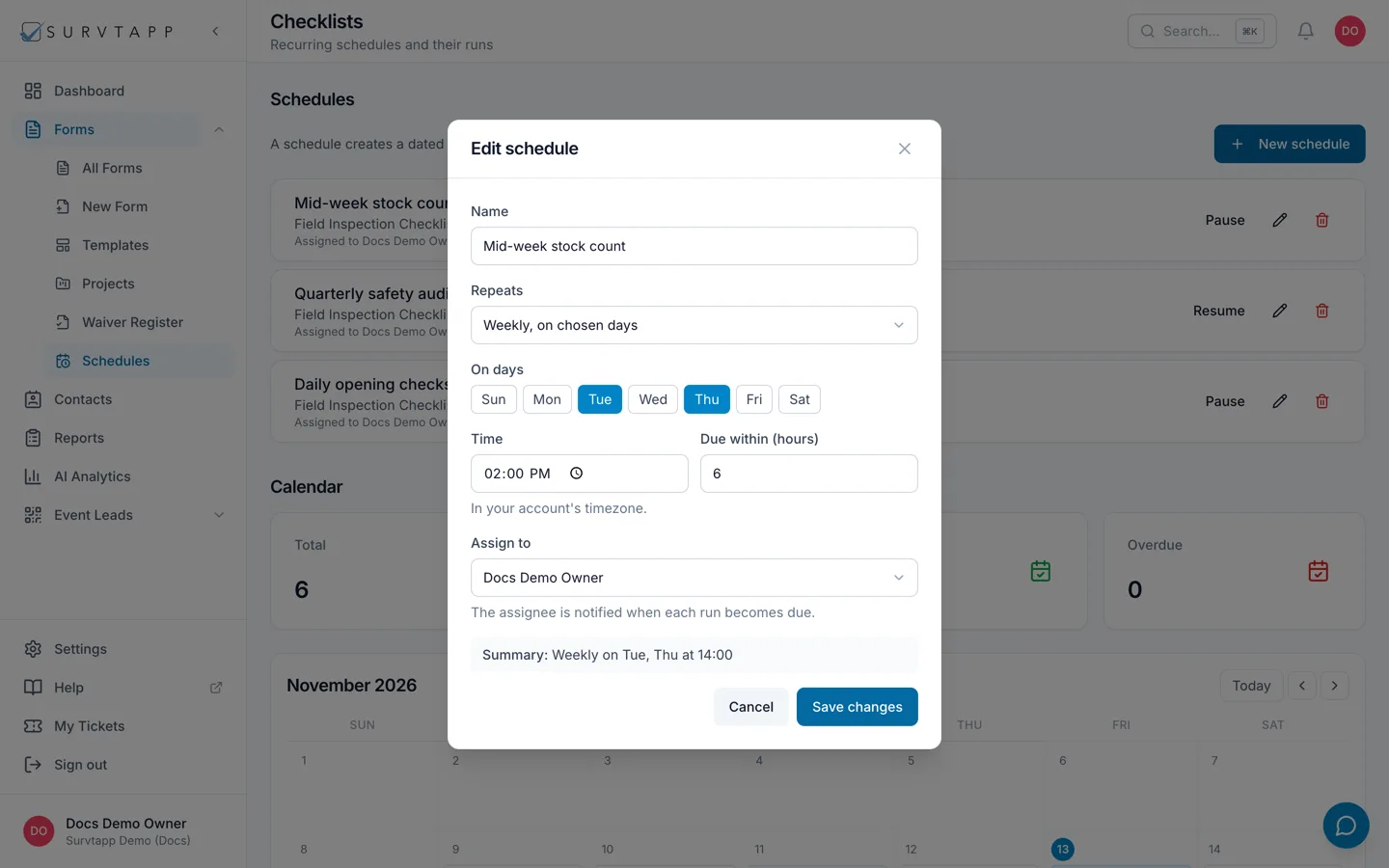
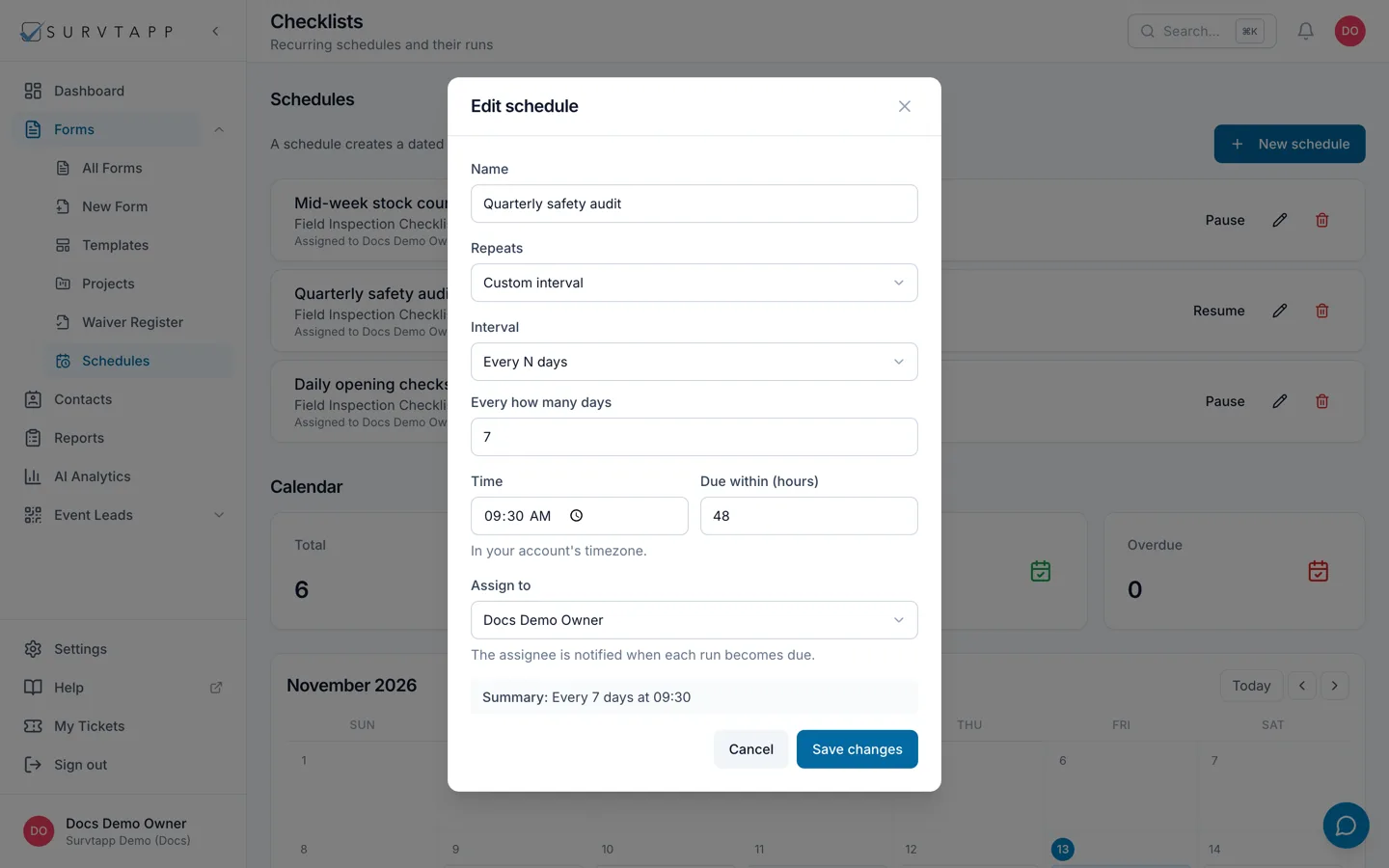
How often it can repeat
- Every day.
- Weekly, on chosen days — tick the days you want, so Monday and Thursday is one schedule rather than two.
- Monthly, on a day of the month. A day later than a month has runs on that month’s last day instead of being skipped, so the 31st still works in February.
- Custom interval — either every N days, or every N months on a chosen day. Use 3 months for quarterly.
- Once only, for a one-off that you still want created and tracked.
The due window
Due within (hours) is how long the crew has from the moment a run is created. A run created at 07:00 with a window of 4 hours is due by 11:00. A run that is still unfinished after its window has passed is marked as missed, which is what makes a schedule worth having — you can see what was skipped rather than assuming it was done.
Who gets it
Assign to names one person, and that person is notified when each run becomes due — a "Checklist due" notification in the app and a push on their device, naming the checklist and the date. Leave it as Nobody and runs are still created and still tracked, they just arrive without anybody being told.
If your role cannot list team members, the field says so and the schedule is saved unassigned.
No emails are sent
This is worth being plain about, because it is the thing people assume. A schedule sends no email, ever — not when a run is created, not before it is due, not when it is missed. The assignee gets an in-app notification and a push, and that is all. If you need an email, put a trigger on the checklist itself.
Pausing, editing and deleting
- Pause stops new runs without losing the schedule or anything it has already created; the row is badged Paused and the button becomes Resume.
- Editing a schedule changes future runs. Runs already created keep the due time they were given.
- Deleting removes the schedule. Completed runs and their responses are kept.
Seeing what is due
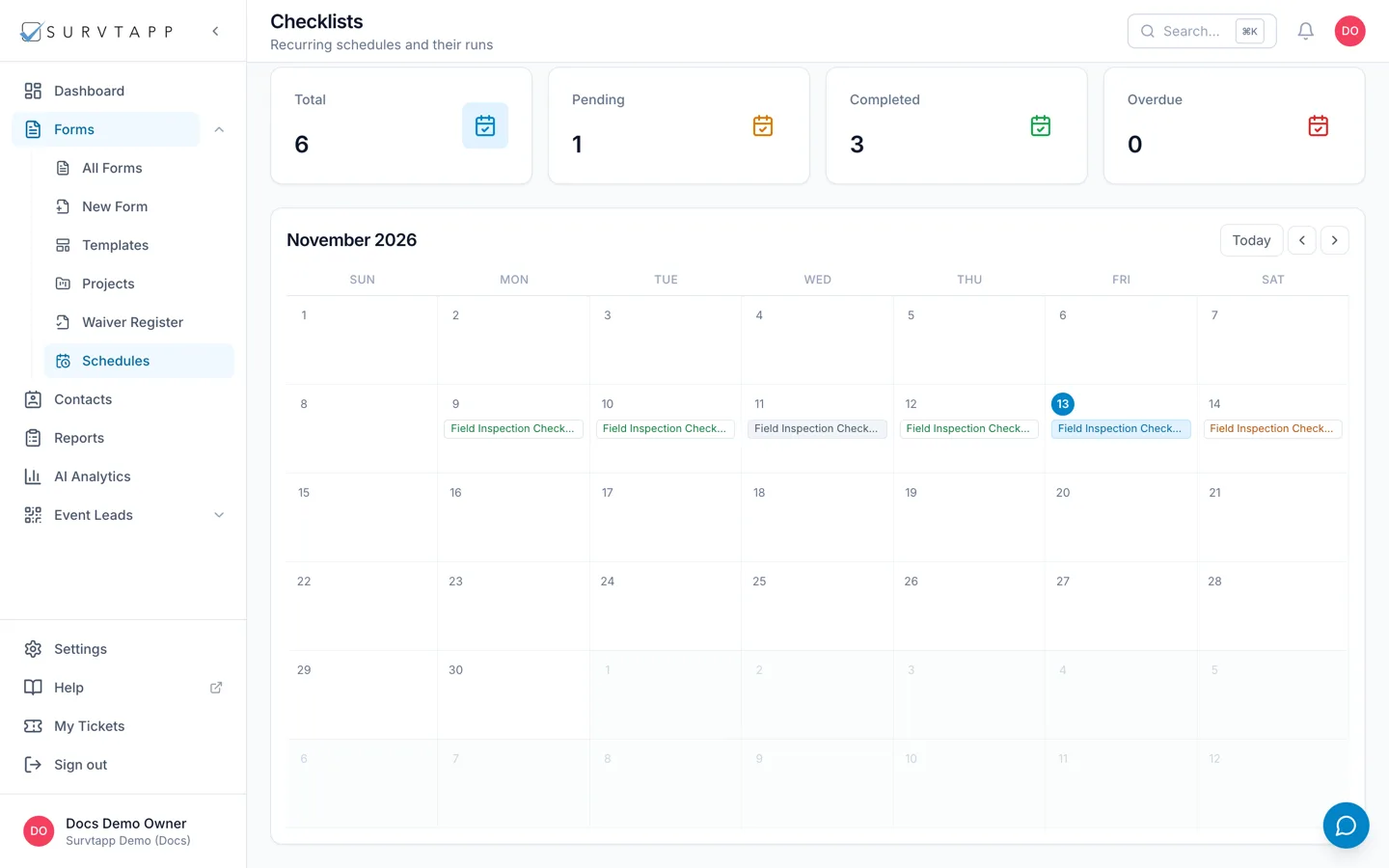
The calendar on the same screen shows the runs that have been created and when each is due, so you can look at a week and see what is coming and what was missed.
Frequently asked questions
Will my agents be emailed a reminder before a checklist is due?
No. There are no reminder emails. The assignee gets one in-app notification and a push when the run becomes due. Anything else has to be a trigger on the checklist.
What happens if nobody completes a run?
Once its due window has passed it is marked as missed, and it stays on the record as missed. Nothing is deleted.
Can one schedule cover two different checklists?
No. One schedule runs one checklist. Create a second schedule for the second checklist — they can share a time and an assignee.
Can I schedule a survey or a waiver?
No. Schedules are for checklists, which are the form type built around a recurring routine.