
AI Insights: a written summary of your results
Published
Turn a form’s responses into a plain-English summary with the findings worth acting on, download it as a PDF, and see the same thing across every form at once.
Can Survtapp summarise my responses for me?
Yes, with AI Insights. Go to Reports, pick a survey or checklist, open the AI Insights tab and click Generate AI Insights: you get a plain-English narrative, a set of highlights and a PDF download. Analytics carries the same card across every form at once. It runs once every 24 hours per form, covers surveys and checklists but never waivers, and is included on Solo, Business and Business Plus.
AI Insights reads the responses you have already collected and writes a short summary of them, with the handful of findings worth acting on — so you can see what respondents are telling you without building a chart. There are two of them: one for a single form, and one across your whole account.
For one form
- Go to Reports.
- Pick the form from the Form dropdown, and set a From and To date if you want a narrower window.
- Open the AI Insights tab — the third one, beside Question analytics and Map.
- Click Generate AI Insights.
You get a narrative paragraph and a set of highlight cards. The card remembers when it last ran, and the button then reads Regenerate.
For the whole account
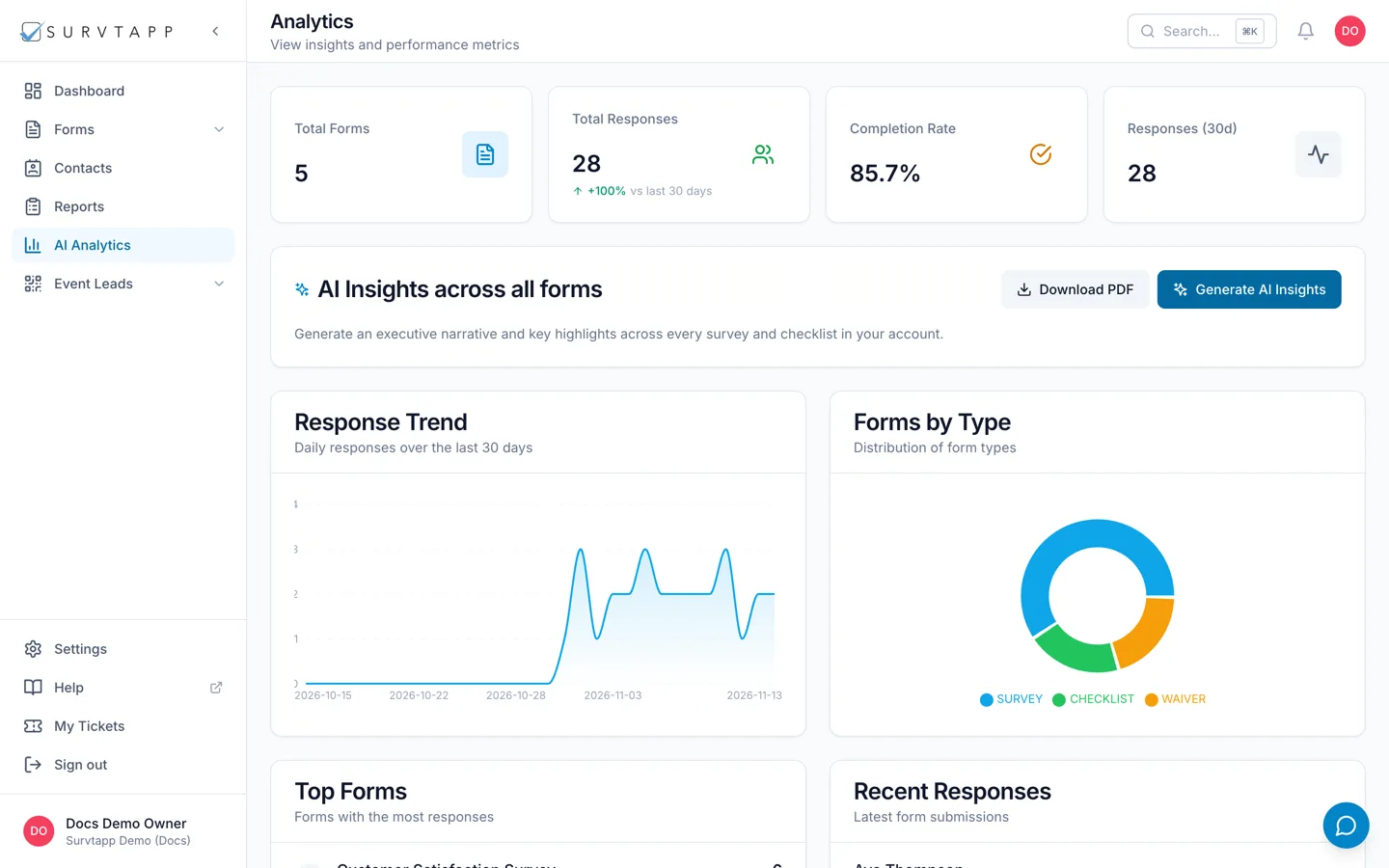
Go to Analytics. Below the charts there is an account-level AI Insights card that summarises every survey and checklist together, rather than one form. It works the same way: Generate AI Insights, then Download PDF.
Surveys and checklists only
A waiver cannot be summarised. Choose one on Reports and the tab says "AI Insights is available for surveys and checklists." That is deliberate: a waiver is a signed legal record of one person’s agreement, not a body of opinion with a finding in it, and the account-level summary leaves waivers out for the same reason.
Once a day
Insights are generated at most once every 24 hours per form. Inside that window the button is disabled and reads "Next refresh" with the time the next one is available, and clicking Generate again shows the summary already made today rather than writing a new one. If your results have moved a lot in a day, the charts on the Question analytics tab are live and have no limit.
Download it as a PDF
Download PDF gives you the narrative and the highlights as a document you can send on or attach to a report. It is the same content you see on screen.
What it reads, and what it does not
- It reads the completed responses to the form you have selected — your own data, and nothing from any other account.
- Part-finished responses are left out. Someone who saved their progress and has not submitted yet contributes nothing, so a half-filled form cannot drag a percentage down.
- Waivers are never read, on either the per-form or the account-level summary.
- The summary is written from your responses and is provided as-is. Read it the way you would read a colleague’s first pass at the numbers — check anything you are about to act on against the charts.
Which plans include it
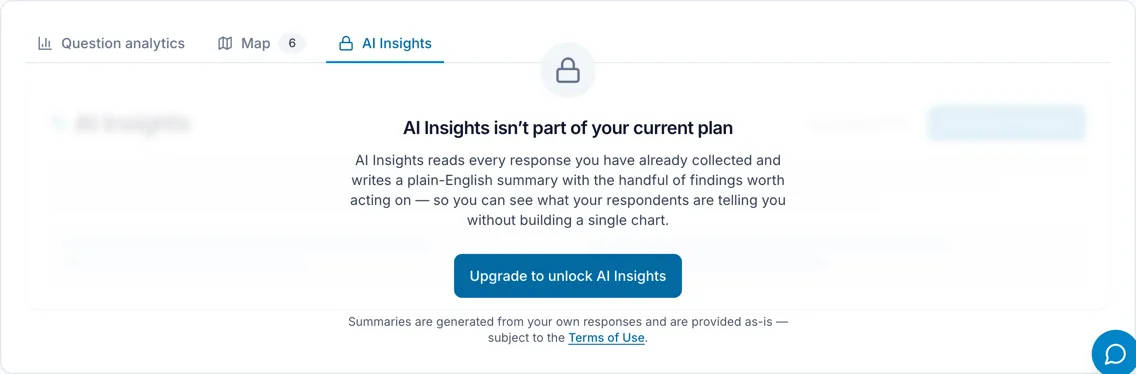
AI Insights is on Solo, Business and Business Plus. It is not on the free plan: there, both the Reports tab and the Analytics card show the feature behind a panel reading "AI Insights isn’t part of your current plan", with an Upgrade to unlock AI Insights button. Everything else on Reports and Analytics — the charts, the map, the trend, the exports — is available on every plan.
If the tab ever reports that AI is not configured, that is a fault on our side rather than anything about your account, and the charts are unaffected. Tell us: raise a ticket from My Tickets in the sidebar, or email support@survtapp.com.
Frequently asked questions
Why can I not generate insights for my waiver?
AI Insights covers surveys and checklists only. A waiver is a signed record rather than a set of opinions, so there is nothing for a summary to find; use the waiver register and the exports instead.
Why is the Generate button greyed out?
It has already run for this form in the last 24 hours. The button tells you when the next refresh is available, and until then it shows the summary made today.
Does AI Insights send my responses anywhere?
Generating a summary sends the answers for the form you selected to the language model that writes it. If that is not something you want for a particular form, do not generate insights for it — nothing is sent until you press the button, and the charts, map and exports never use it.
Can I change what the summary says?
Not directly. You can narrow the From and To dates on Reports before generating, which changes the responses it reads, and you can regenerate the next day.