
Save and Resume: Let People Finish a Long Form Later
Published Updated
Respondents give their email before the first question, their answers save as they go, and a private emailed link lets them finish later. Saved progress is deleted after 30 days.
Can someone save a long form and finish it later?
Yes, with Save and Resume. Before the first question they give their email address, their answers then save automatically as they go, and they receive a private link back to their part-finished form. Opening it restores their answers and attached documents on the page they left. Saved progress is deleted after 30 days.
Some forms are too long to finish in one sitting — a grant application that needs figures somebody has to look up, an intake questionnaire that needs a document scanning. Save and Resume lets the person filling it save what they have typed and come back to it, instead of abandoning it or starting again.
How it works for the person filling it in
- Before the first question, a short window asks for their email address and explains that their progress will be saved. They can also choose to continue without saving.
- From their first answer, their progress is saved automatically as they go. They can close the page at any time.
- They receive an email with a private link back to their part-finished form.
- Opening that link brings back their answers and any documents they had attached, on the page they left off.
- When they submit, the saved copy becomes an ordinary response and the link stops working.
Turning it on
- Open the form and go to the Settings tab.
- Find Autosave & Resume.
- Switch on "Let respondents save their progress and come back later".
It is off on every form until you turn it on, so nothing changes on your existing forms.
The email address, and your contact section
Saving needs an email address: the resume link has to be sent somewhere, and the address is also how that person can later ask you for a copy of their data or have it deleted. That is why it is asked for up front, before any answers are saved.
If your form has a contact section with an email field, that field is filled in automatically from the address they gave, so nobody types it twice. It is locked to that address; a "Change email" option lets them correct it, which sends a fresh link to the new address and stops the old one working. If your form has no contact section, the address is used for the resume link only and is not kept with the submitted response.
Saved progress is deleted after 30 days
- If the form is never submitted, the saved answers and any attached documents are permanently deleted 30 days after the last save, and the link stops working.
- Thirty days is the maximum, whatever retention period your plan gives completed responses. Something nobody submitted is not kept as long as something they did.
- A saved draft does NOT use up one of your monthly response credits. Only a submitted response does.
- A saved draft does not appear in your responses list or in your reports. You see it when it is submitted, as one response — not two.
- Attached documents DO count towards your storage allowance while the draft is alive, and are released when it is deleted or submitted.
The link is the key — tell applicants to keep it
Anyone holding the resume link can open that part-finished form, so it should be treated like a password and not forwarded. We store only a one-way fingerprint of it, so we cannot look a link up for anyone who asks us for it.
A respondent who loses their link can open the form again and choose "I’ve started this form before — email me my link". If that address has saved progress on the form, a new link is emailed to it and any older link stops working. The form never says whether progress exists, so nobody can find out what someone else has saved by typing their address.
There is no automatic reminder email before the 30 days run out. Say so in the form’s description if the deadline matters.
Which plans include it
- Included on Business Plus.
- Included on the Free plan.
- Not included on Solo or Business. The setting does not appear on those plans.
Turning the plan feature on is not enough by itself: each form also needs its own switch turned on, as described above.
Part-finished forms in the mobile app
The Survtapp mobile app keeps an agent’s part-finished form on the device, so closing the app or a flat battery does not lose their work. That is a separate mechanism from Save and Resume on the web: nothing is sent to Survtapp until the agent submits, and it involves no email and no link.
This follows the same plan feature. If an agent leaves a form part-way through, the app says their progress is saved and can be recovered, and reopening the form brings their answers back on the page they left.
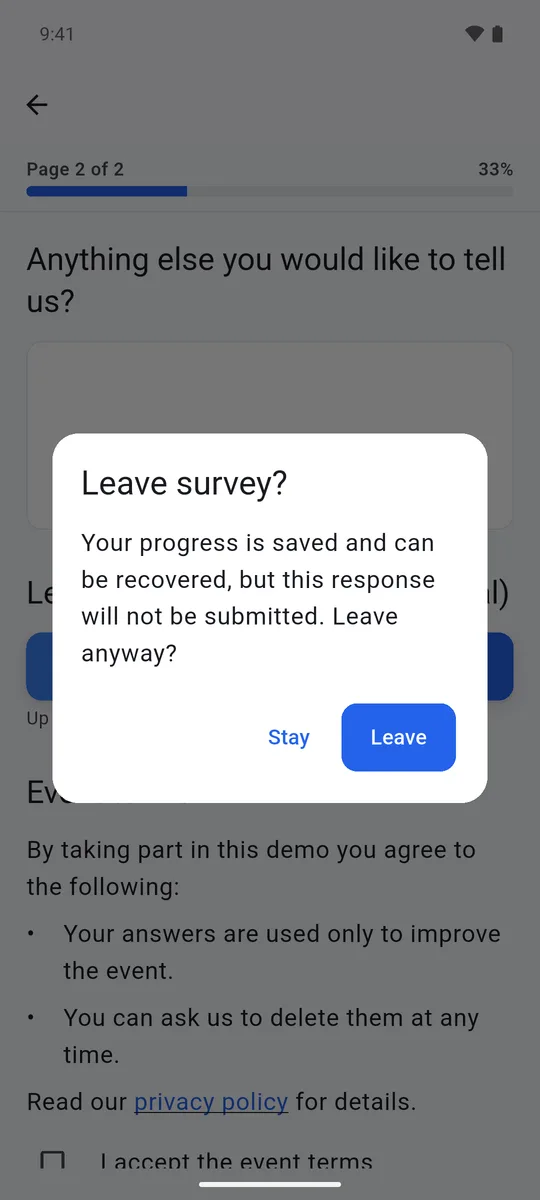
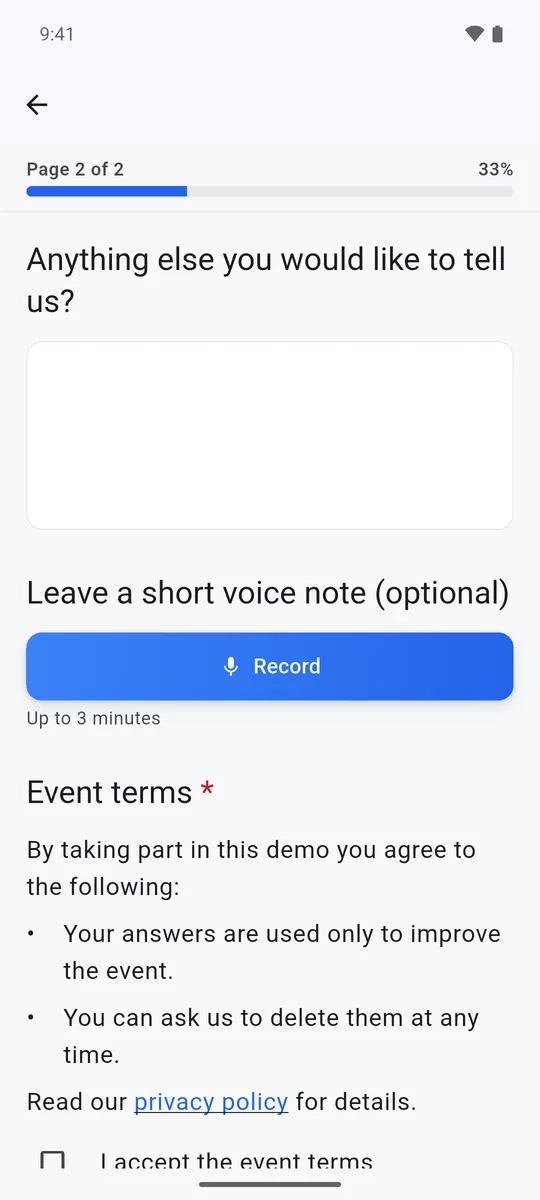
Agents can switch this off on their own device under Settings, then "Auto-save unsaved responses". Switching it off deletes any part-finished forms held on that device, and from then on leaving a form without submitting discards what was entered.
See File Upload for asking people to attach documents, and Plan Limits & Credits for how response credits and storage are counted.
Frequently asked questions
How long is saved progress kept?
30 days from the last save. After that the saved answers and any attached files are permanently deleted and the resume link stops working. There is no reminder email before then.
I lost my resume link. How do I get back to my form?
Open the form again and choose "I’ve started this form before — email me my link", then enter the same email address. If there is saved progress for that address, a new link is emailed and the old one stops working.
Why do I not see Autosave & Resume in my form settings?
Your plan does not include it. It is included on Free and Business Plus, and not on Solo or Business. On a plan without it, the setting does not appear at all.
Do saved drafts use up my response credits?
No. Only a submitted response uses a credit. A draft does not appear in your responses or reports until it is submitted, but any files attached to it count toward your storage while it is saved.
Can a respondent save without giving an email address?
No. The resume link has to be emailed somewhere, so saving needs an address. Respondents who do not want to give one can choose "Continue without saving" and fill in the form in one go.